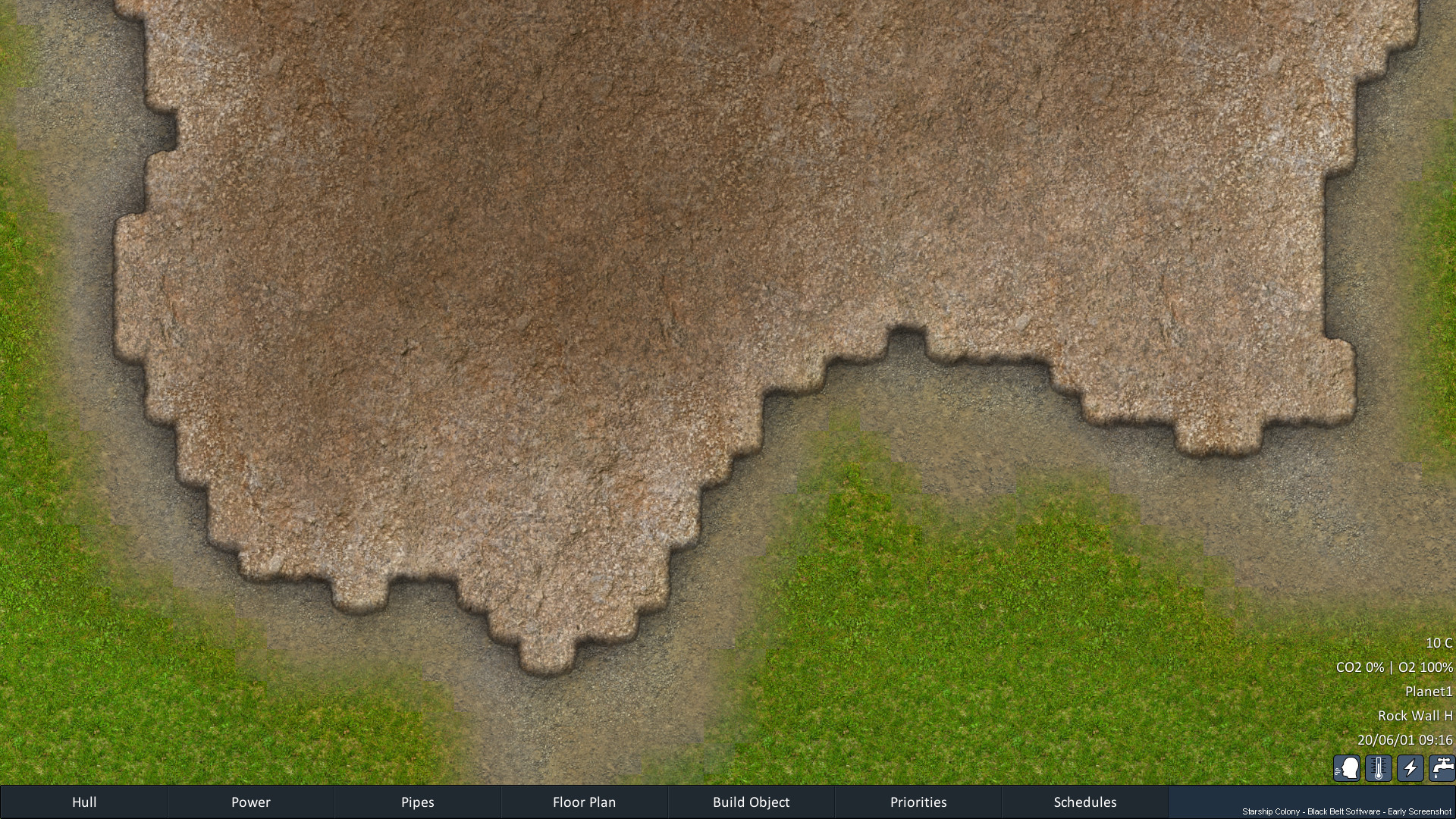
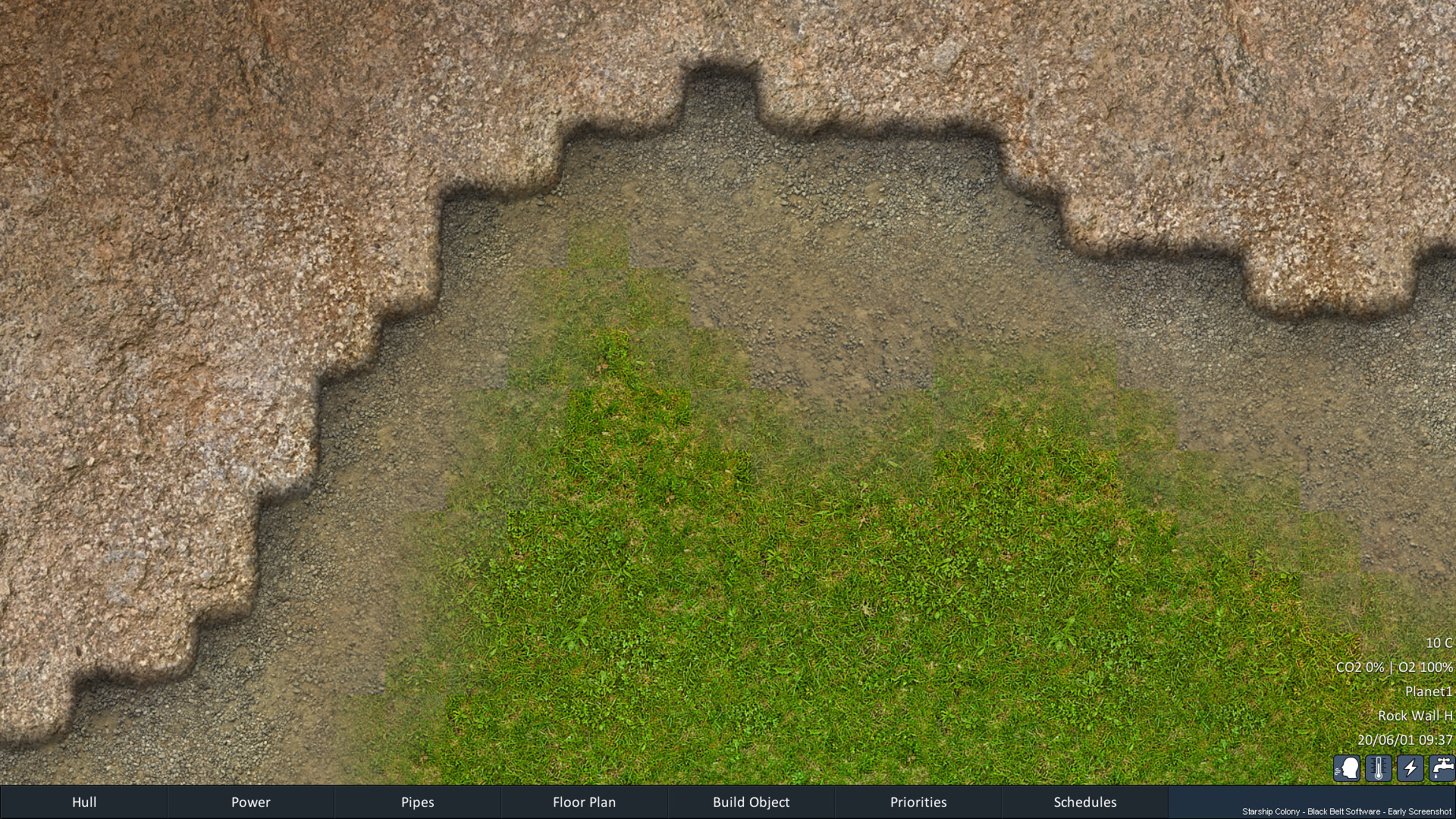
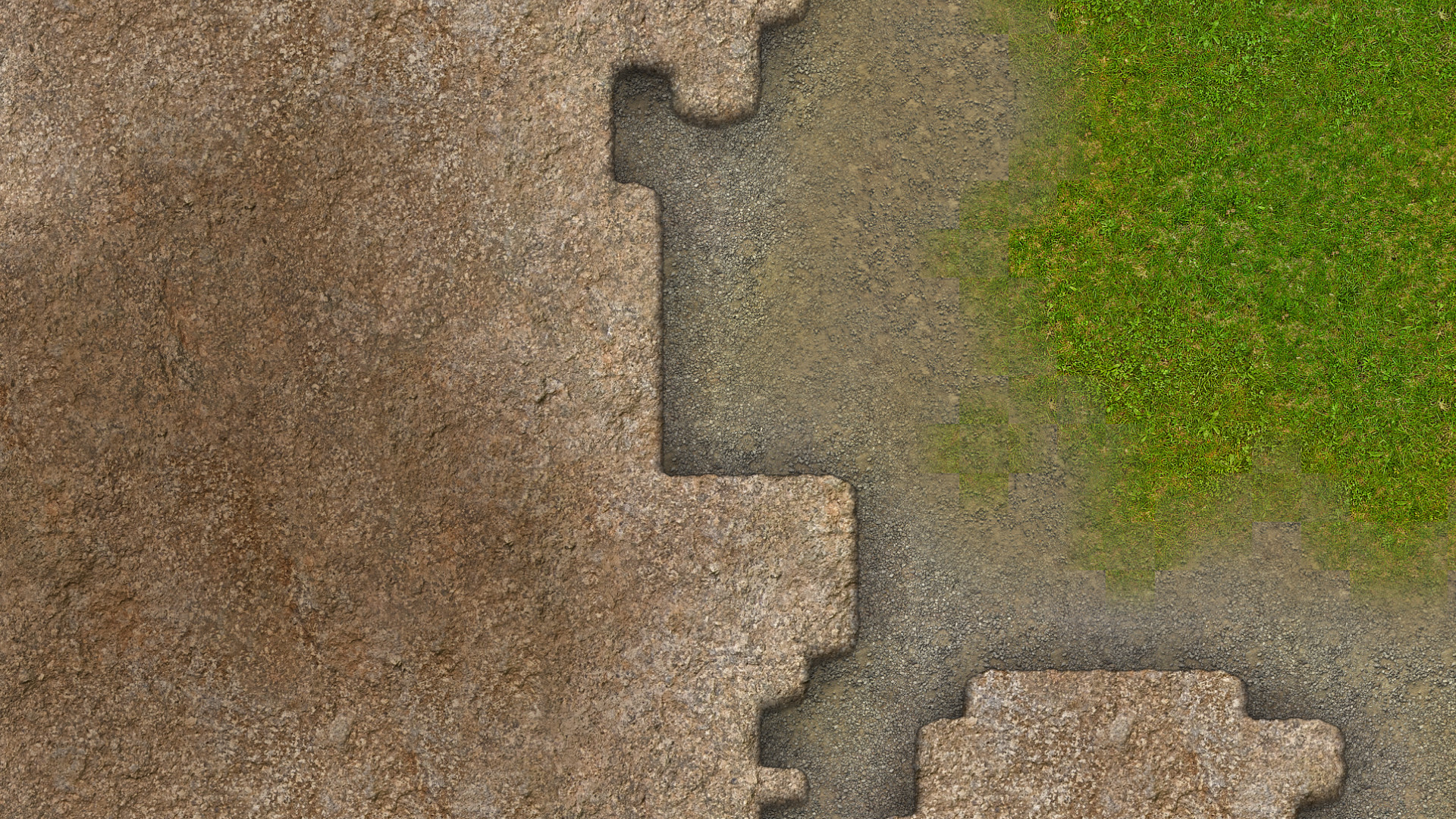
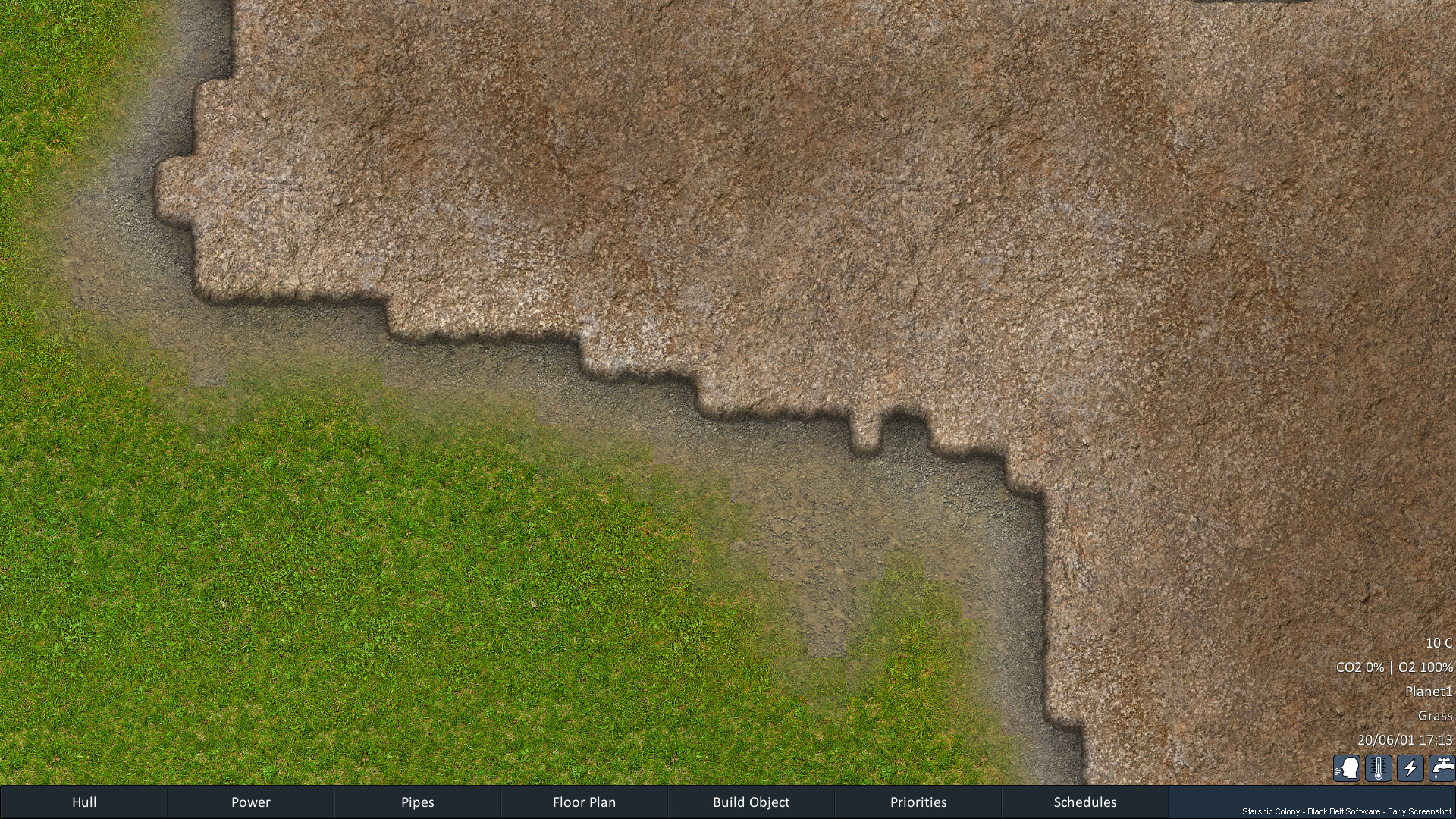
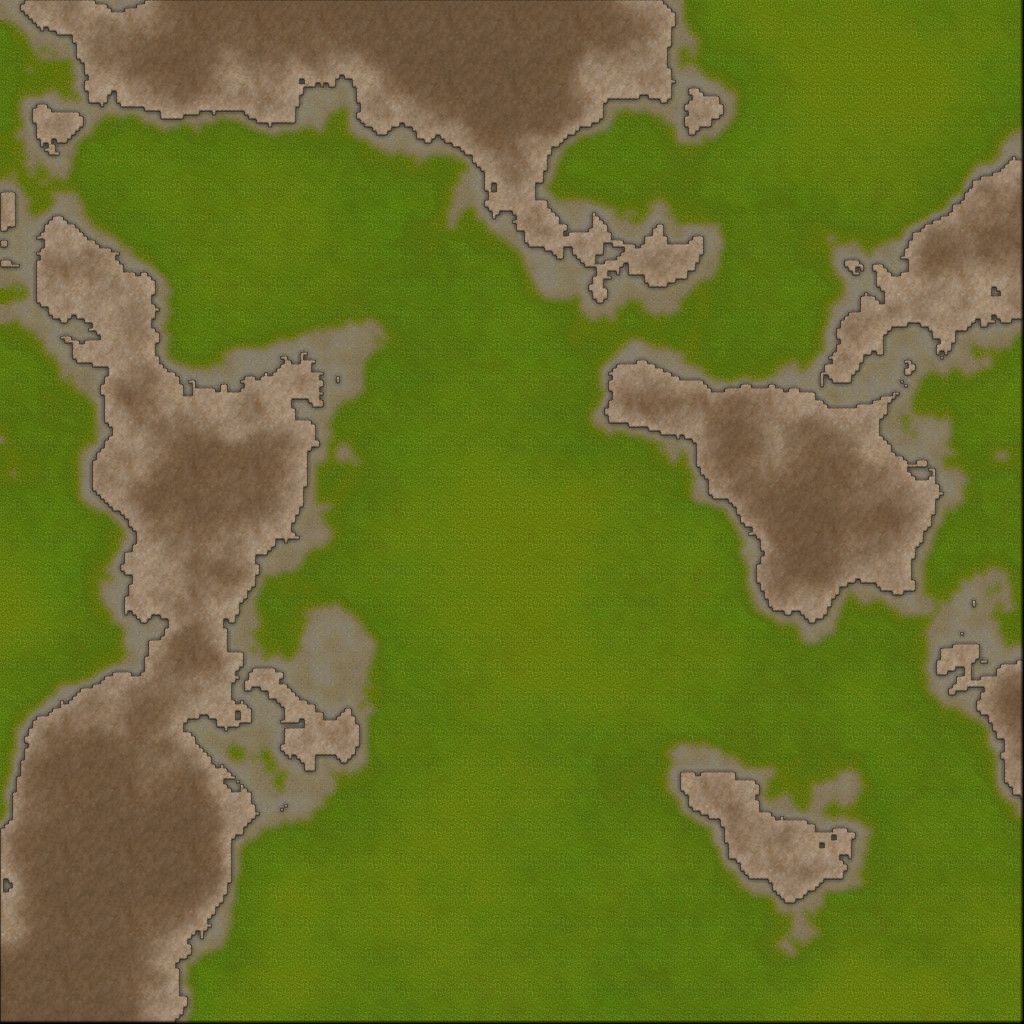
As I've been building the procedural planet generation (orbit view),
I've been increasingly aware of the need for matching biomes on
the surface too.
It's an area that gets modified a lot, and
with lots of planets needed, I decided to make an entire plugin
system for it.
Biome Plugins
It's honestly slowed me down a bit, but adds a lot of future
flexibility. The new snow and desert biomes are built using this
so I can see what's needed for it and add any missing features.
I also converted the existing green terrestrial biome over to it.
More variety can more easily be added now.
New Biomes + New Biome Plugin System
Tile Blending
The new biomes with different lighting and textures showed up some
issues with the tile blending I'd used until now. I wasn't happy
with this, so that got rewritten too. Every tile will actually
reorient itself based on the diagonal of maximum change in
lighting to give the smoothest result. Nobody will really notice
this, in fact that's the idea. Like good special effects, the best
are the ones you don't notice.
Decals
It's surprising how far I've gotten without decals up until now,
but I really wanted some stones and rocks sprinkled about the
ground, so this needed to be added to the engine too, including
managing sets of sprites to be used together.
I've also made the decals observe the lighting map in the corners - it really helps.
Graphics Tools
OK, so then I needed dozens of rock and stone sprites next.. Graphics
production is my #1 bottleneck. I spend more time editing graphics
and tweaking colours and balancing things than coding. So the
prospect of manually cutting out dozens of rocks from images and
adding tiny shadows and saving each one out was not something I
relished. I can't use generative AI for this project either (as
that's a whole other can of worms), so instead I wrote a tool that
uses image segmentation to find rocks in real photos and cut them
out, and also create shadows for them automatically.
So yes, I wrote an entire app just to cut out rocks and add shadows to them,
just to make the ground prettier - you lucky people! :)
Seamless Textures
And that's not the only tool I wrote. Making seamless
textures... *sigh*... Oh this is something I do so often I can't
believe it's taken me until now to write a tool to help me with
this.
You can do it quickly if you don't care, but it's so time
consuming to make high quality textures for a game that repeats
imperceptibly without ugly patches or a blurry mess, and still
looks good when you zoom out. I've seen some commercial tools for
this, but they usually just cross-fade the edges and call it done
which isn't good enough. I've always wanted something that lets me
carve around features and see the results immediately - so that's
what I built:
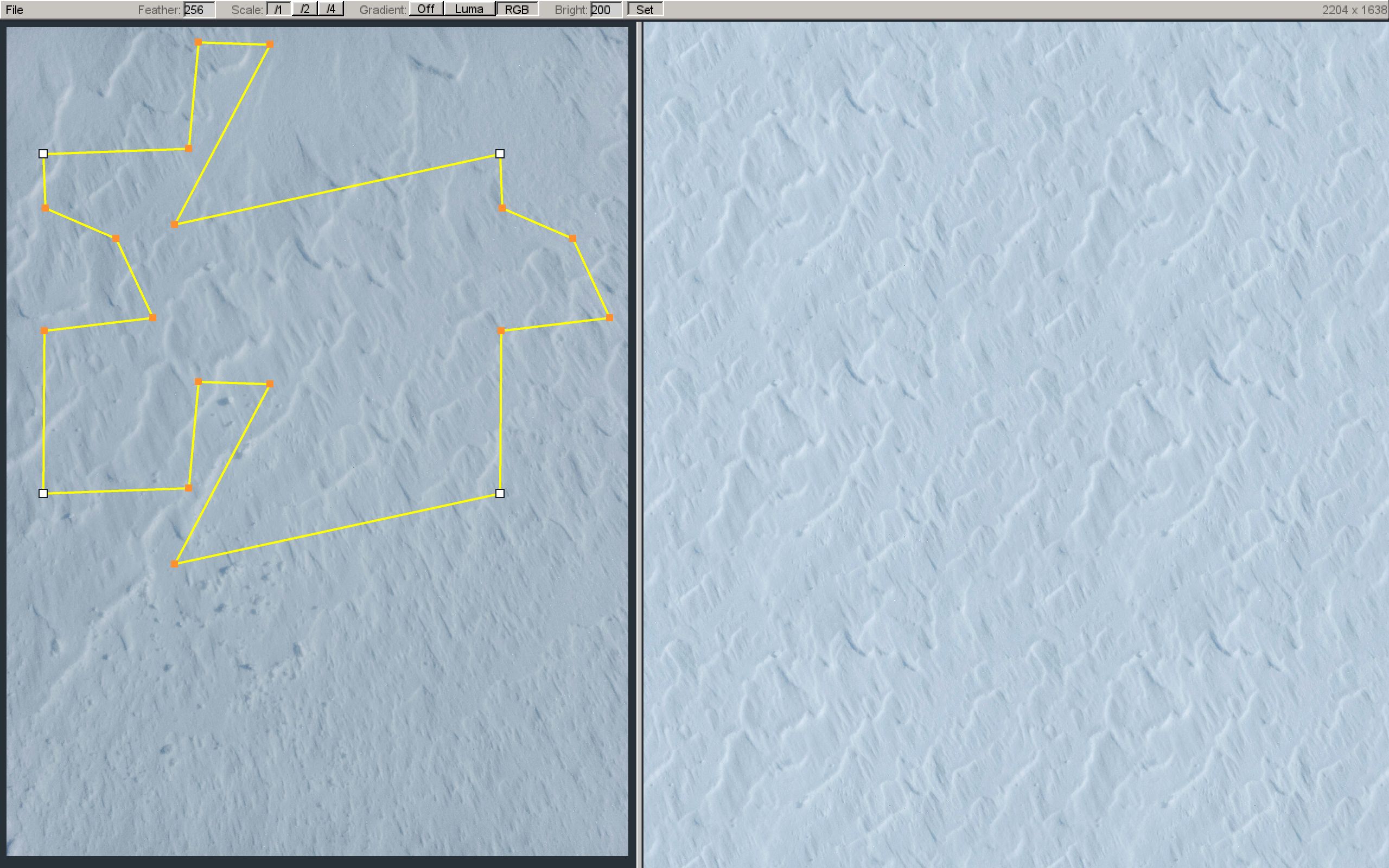
Custom Seamless Texture Creator (Can do rabbits too)
That shape that looks a bit like a rabbit is actually the source
of the pixels for the seamless texture on the right. Note where I
carve around the prominent white dot with dark shadow, and notice
how that exact shape is mirrored at the top (the rabbit's 'ears').
This is because the shape has to tessellate horizontally and
vertically like a jigsaw puzzle piece that fits with itself to
work. Any edit to one side affects the other.
There's also some
fancy gradient subtraction to balance the lighting across the
image, and brightness normalisation to ensure similar textures
have similar brightnesses so they blend well. It's radically
accelerated my ability to create seamless textures, which is good,
because I need to make a lot!
Being a solo developer means you have to wear not just multiple
hats, but *all* the hats, and that includes making your own tools
when needed. It makes it very hard to produce a regular cadence of
dev log updates when some of the work is more of the
behind-the-scenes variety. So please note, future updates may be a
little more sporadic as I need to focus now on getting the game to
the play test stage rather than adding new features.
As ever, please wishlist Starship Colony on Steam - it helps our
visibility with the algorithm. You can also follow the developer page
to get notified when we start play tests. The Discord forum
is also usually first to hear of any news. Thanks! DaleJ.
Starship Colony was built from the ground up to let you land your ship on planets.
While that's always been possible from the main in-game view,
the in-orbit view of the planets was added later and has been like a separate universe.
It's time to fix that and bring the two halves together...
OK, so we arrive at a planet, we're in orbit, now we need to select a suitable landing site,
maybe we need ice for fuel, or certain ores - it would be good to know what's down there.
For this I've added a new screen where you can orbit around the planet (or asteroid)
and click on the surface to select a potential landing site.
Detailed information is displayed in a panel: Latitude, logitude, altitude, temperature, precipitation, biome,
how mountainous, day length, gravity, wind speed.
These are pulled from the height map, heat map and precipitation map underlying the procedural planet generation.
Below that is a real mini-map view of what that location would look like*.
*For now we only have the placeholder temperate biome shown so clicking on desert or ice biomes will still show the temperate forest biome.
Creating more biomes is next on the list. But doing this view first lets me get immediate feedback
so I can alter the ground terrain generation to reflect the conditions displayed in the panel.
Bringing it all Together
There's a lot of development work that's been done on various systems separately because
it's the only way to tackle things when the scope is so large.
I'm keen to get them all hooked-up and integrated properly now.
This is a big one that bridges gameplay between ground and orbit.
It still needs more polish, but it's another big step forwards :)
If you haven't wishlisted already, please do - it helps our
visibility with the algorithm. You can also follow the developer page
to get notified when we start play tests. The Discord forum
is also usually first to hear of any news. Thanks!
Just a quick update today as I've had do quite a bit of real-world
building and repair work needed at home, plus a heat wave
that's slowed me down a bit. I wasn't going to post this month but
there's some good progress on the character behaviours I can
share.
A character running out of extreme cold into the ship (Yes the graphics look temperate, but it's actually -50 out there!)
I had a funny situation where I'd land the ship on a planet with
no air or an extreme temperature. The character would step out,
take damage, and decide the best course of action would be to
immediately run out into it! They'd head to the top left corner of
the map, get stuck and perish! lol.
It turns out that my run-to-safety code couldn't find anywhere on
the planet surface that was safe, so the default 0,0 coordinates
(top left) were used. The ship isn't part of the planet so is like
a separate map.
I've extended the behaviour so it can include landed ships now
and do the complex multi-map path planning needed in emergency
situations.
In fact the whole task system has been upgraded with a priorty
system to allow for more intelligent behaviours.
I needed to do this because in emergency situations tasks are
dropped but it can't drop the emergency task itself, nor any
sub-tasks it needs to complete (like running somewhere). I had a
situation where characters would stop running to find a safe place
because the normal walk/run task isn't an emergency task itself,
so they'd get into a panic loop of starting to run, then stop
because the emergency cancelled it, then start to run again, and
end up getting nowhere fast!
Working around this sort of thing can quickly lead to a
complicated tangle of exceptions if you're not careful, so I added
a priority level to tasks (not the same thing as the task priority
orders in the GUI!) - these are like emergency interrupt levels.
So in an emergency a sub-task like running can be done at the same
priority of its parent task and won't get cancelled, unless an
even more important emergency occurs.
This can happen with fire fighting. The character will drop
everything to tackle the fire and can run through flames if
needed. But if there's an air leak (decompression), this is a
bigger emergency and will override the fire fighting emergency
automatically. I don't need to hard code that in - it's just a
number now and much cleaner.
This has allowed me to remove some older work-arounds, and allows
for some new emergent behaviours - things like characters will get
out of bed in the middle of the night for a drink if they're
really thirsty (has a slightly higher priority than sleeping),
then go back to bed if they're still tired. Nice! :)
If you haven't wishlisted already, please do - it helps our
visibility with the algorithm. You can also follow the developer page
to get notified when we start play tests. The Discord forum
is also usually first to hear of any news. Thanks!
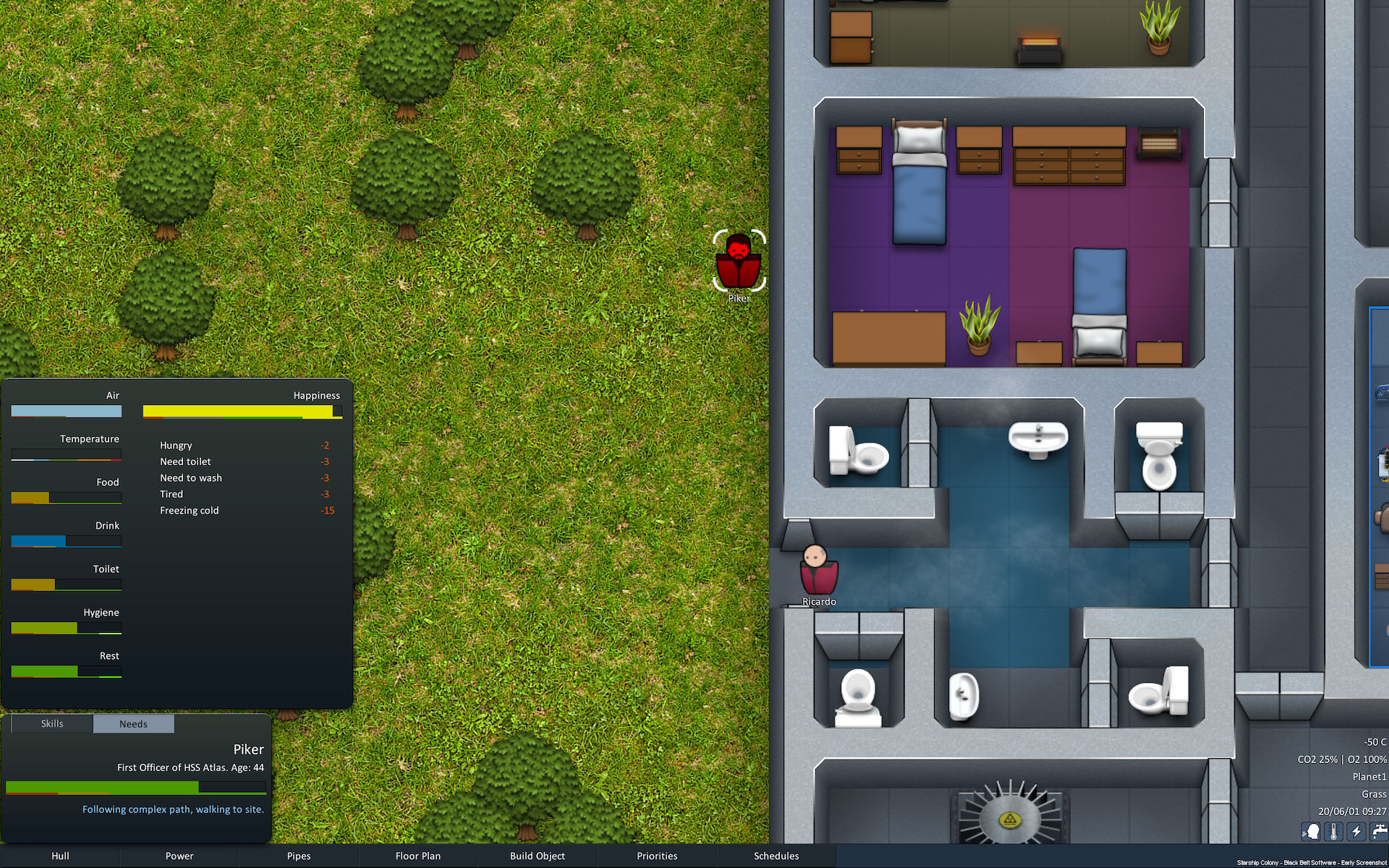
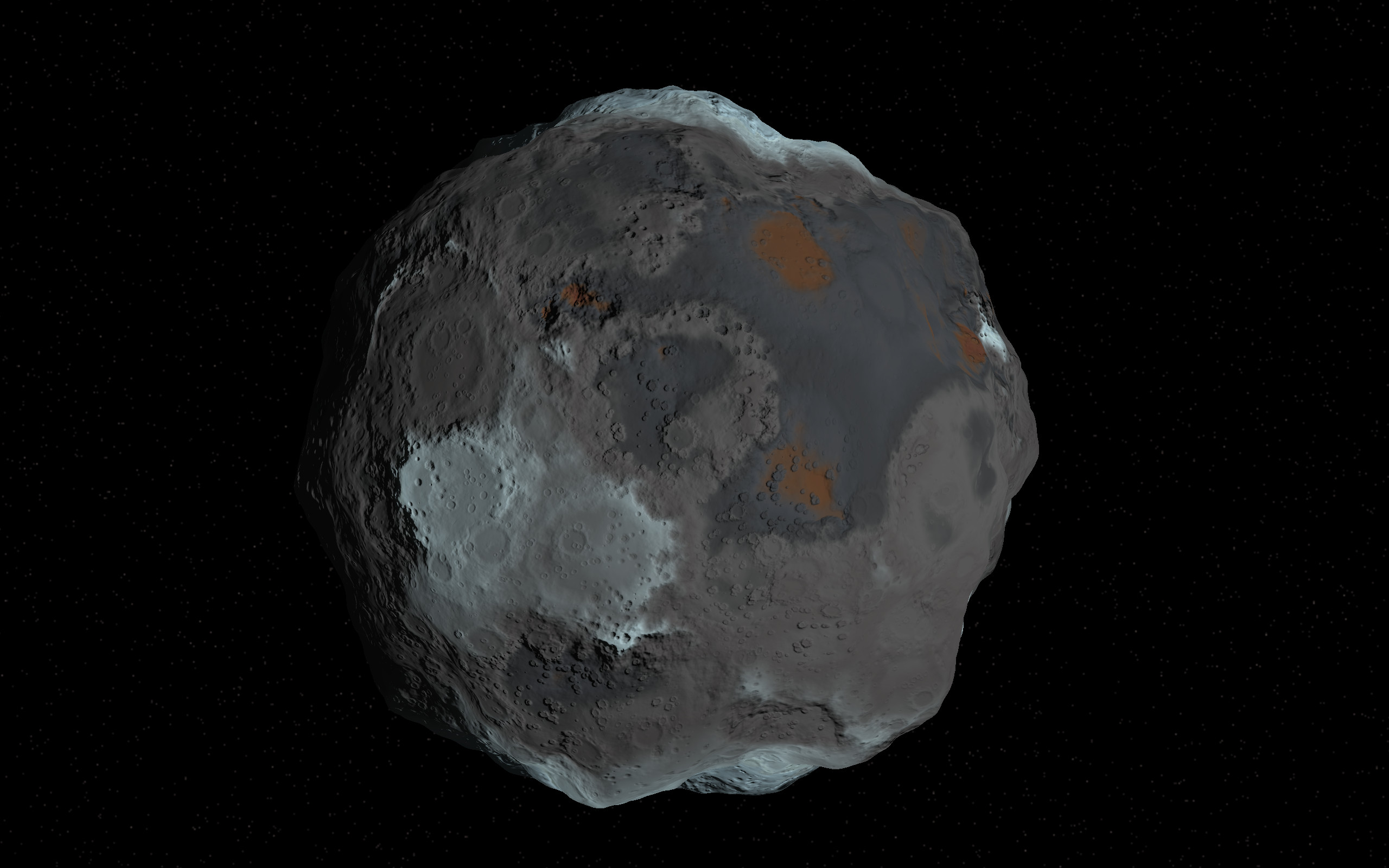
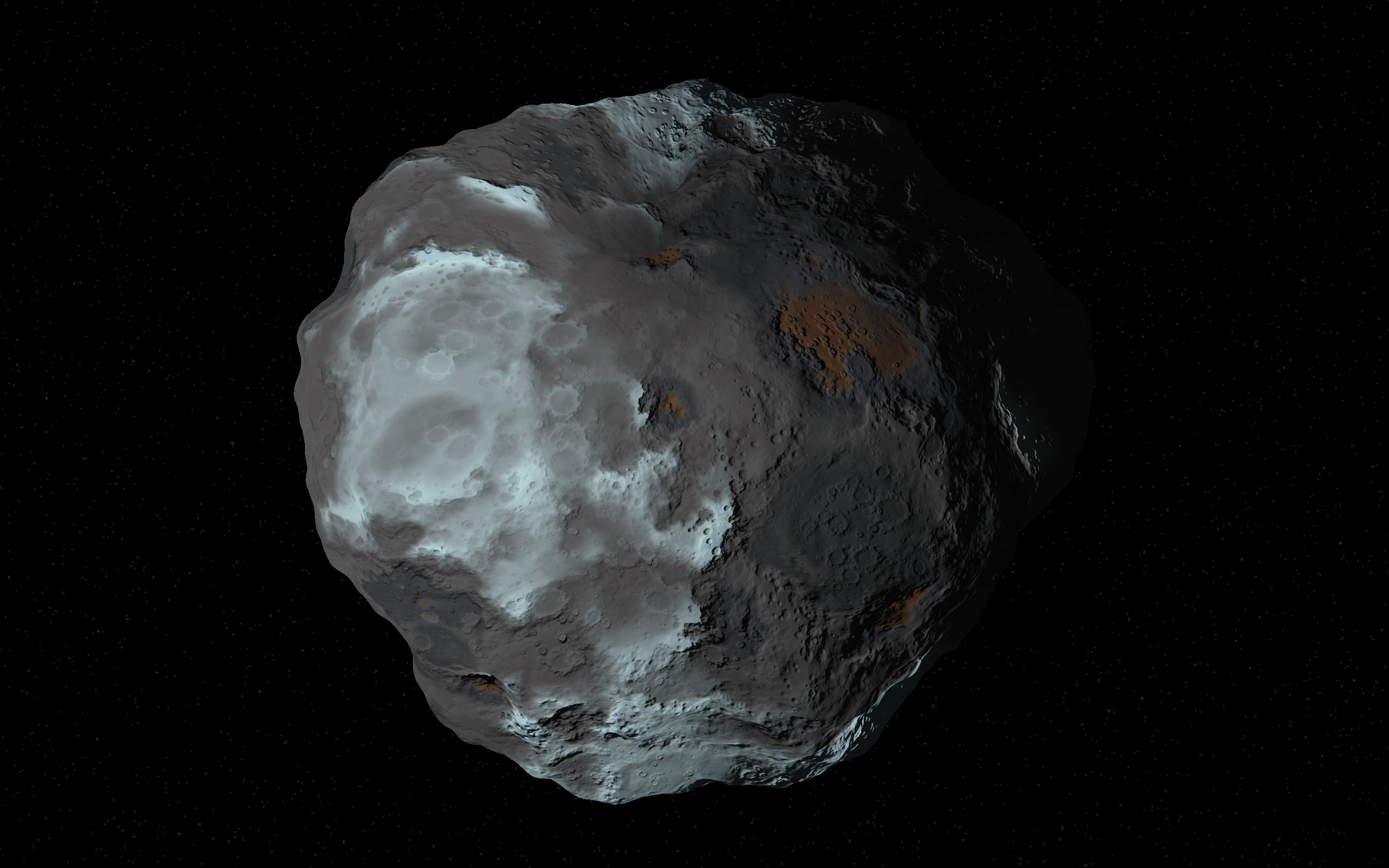
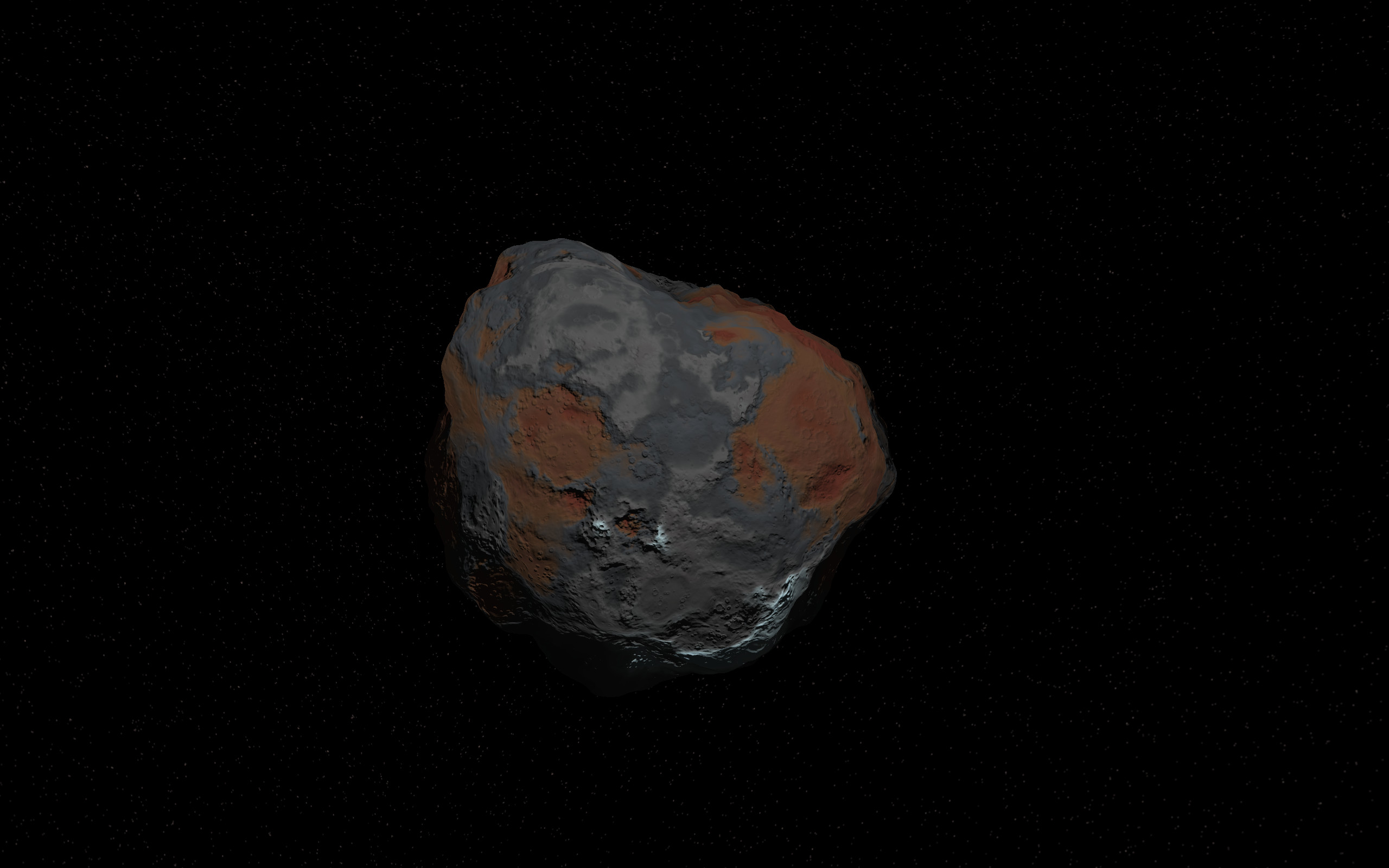
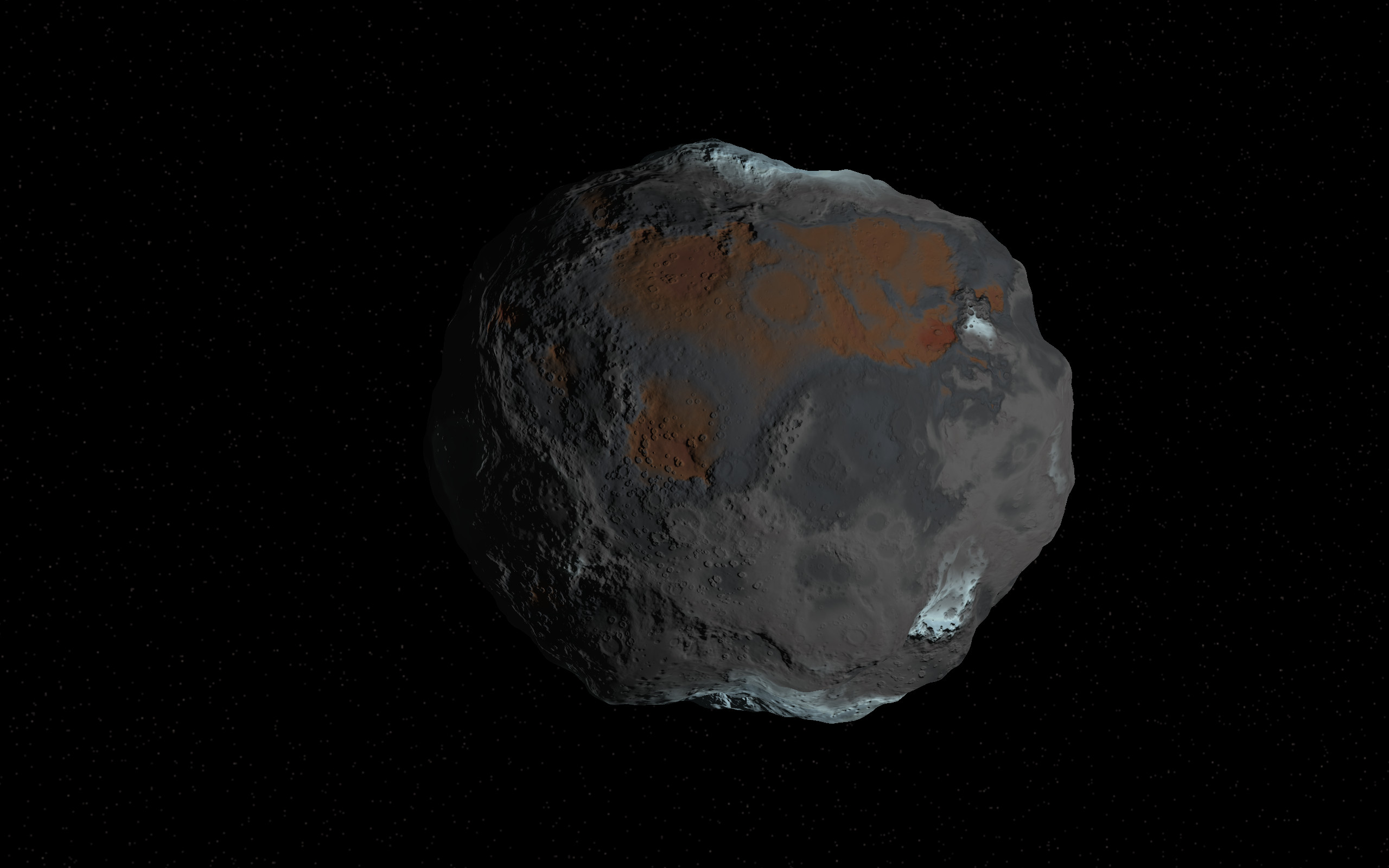
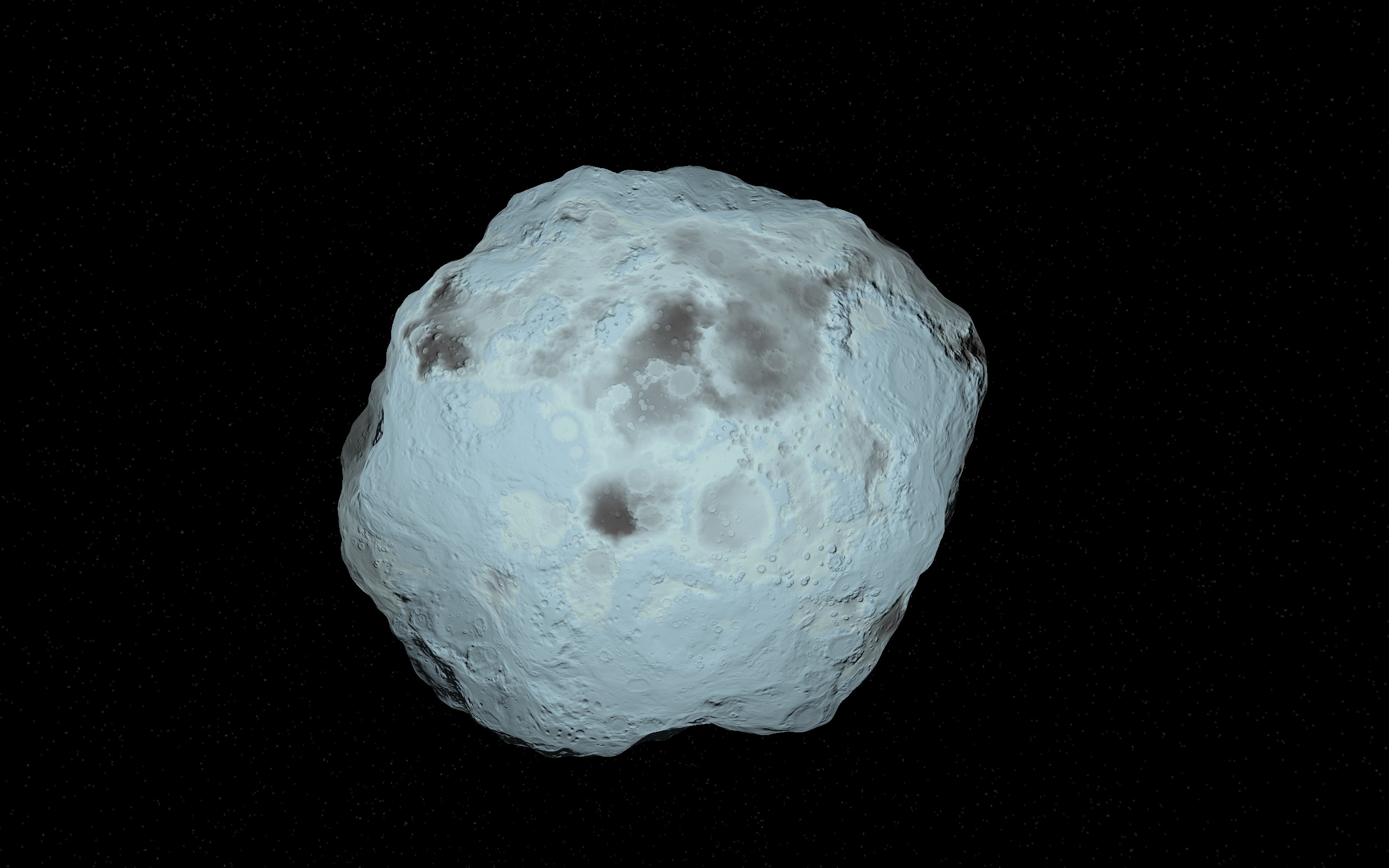
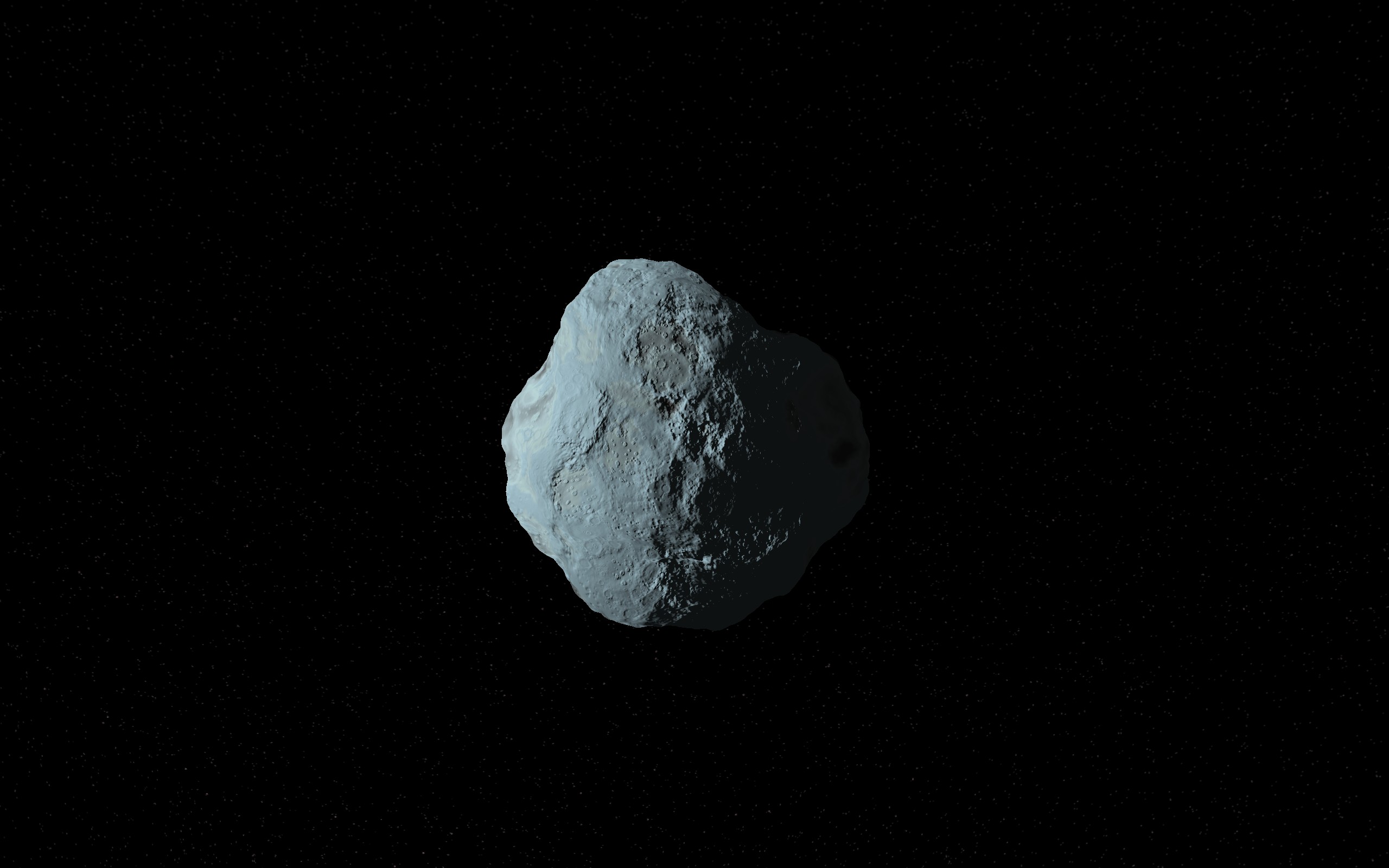
Asteroids are a vital source of resources for survival in Starship Colony.
Not just iron ore for building your ship, but also various ices. Water ice is split (via electricity) into H2 and O2 for fuel,
air, as well as drinking water - and of course crops need water too.
So it's about time they were included. Actually these aren't the first - we've had a circular asteroid 'map' in the game from early on.
They were going to be free floating in space, but the blocky nature always bothered me,
and although it used a clever 3D lighting technique to appear spherical,
it's better to make them actually 3D in the same way I made the planets.
They look far better now and there's potential for even more variety.
The asteroids come in a variety of types based on their distance from the sun and how much ice remains.
Asteroids in the inner regions of the solar system, nearer stars, will have most of their ices burnt away,
and instead be richer in metals and silcates (stone).
Asteroids in the far outer reaches of solar systems will be rich in ices and 'volatiles'. Not just water ice, but also carbon dioxide (CO2), methane (CH4), amonia (NH3), and molecular nitrogen (N2)
Nitrogen is important for making fertiliser for growing crops, and also makes up 80% of air.
You might also notice there tends to be more ice near the poles and cavities where there is less sunlight. The non-water ices are also a slightly different hue and available in the thicker ice regions.
Just like the planets, this is your orbital view and you'll be able to select your landing site
which then becomes your ground-based map to land on. The colours tell you what kinds of resources are more prevalent in each spot so it's very intuitive to choose a landing site.
The exact chemical make-up of the asteroids is still open to revision and gameplay tweaking, and there's a lot of material variations possible I haven't had time to explore yet.
But I'm happy with this implementation - it looks more interesting that just a colourless grey, and I think it'll work well for the types of things we want in the game :)
If you haven't wishlisted already, please do - it helps our
visibility with the algorithm. You can also follow the developer page
to get notified when we start play tests. The Discord forum
is also usually first to hear of any news. Thanks!
The galaxy in Starship Colony is based on a real map of the Milky
Way galaxy - so it's huge! It would be impossible to
pre-make all the planets for all the stars in the galaxy, so
they're procedurally generated (by code) as you explore.
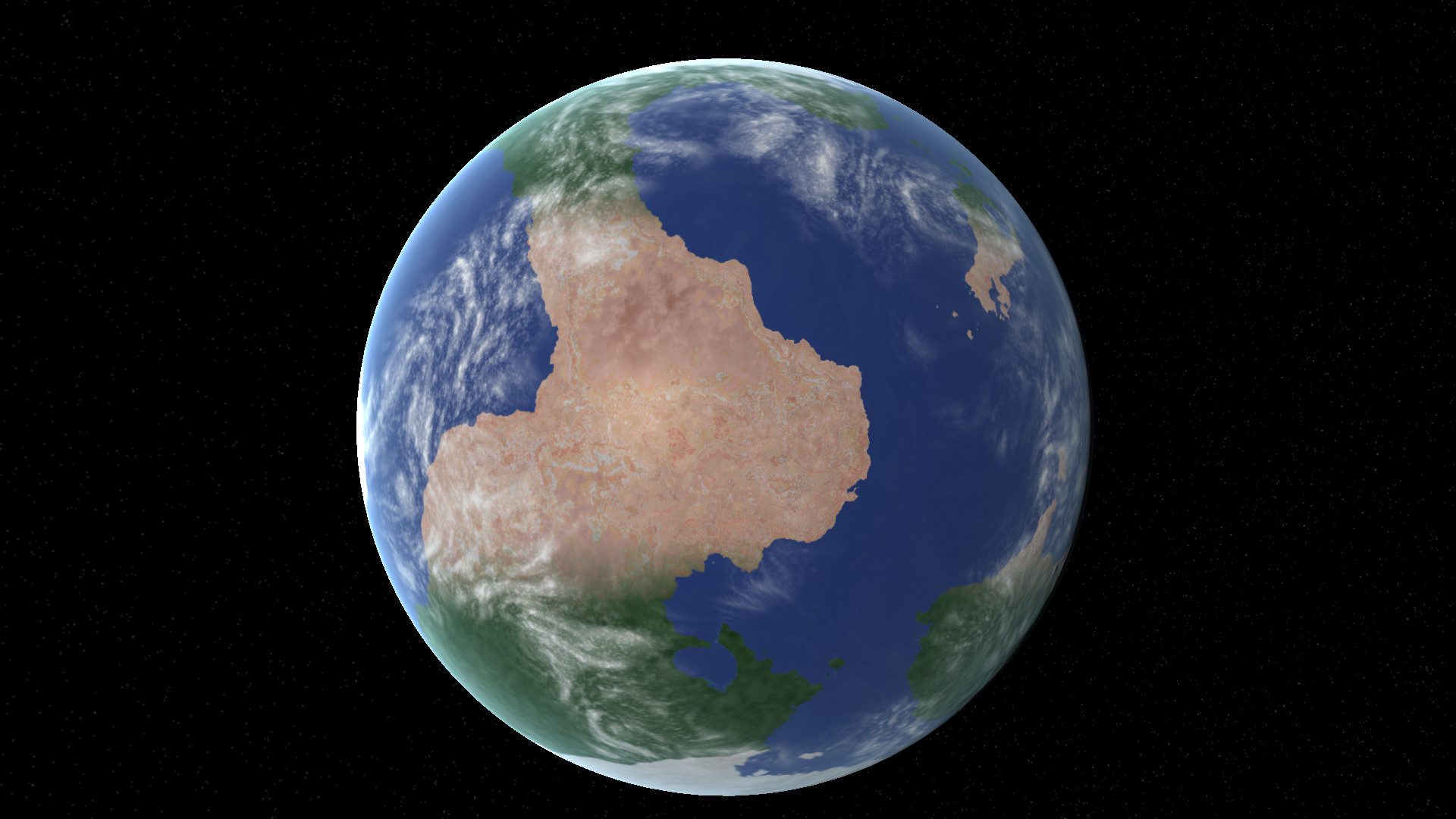
There are different types of planets each with their own quirks
and details. I've already covered arid Mars-like planets. Now it's
time for Earth-like planets which are probably the most complex
and varied.
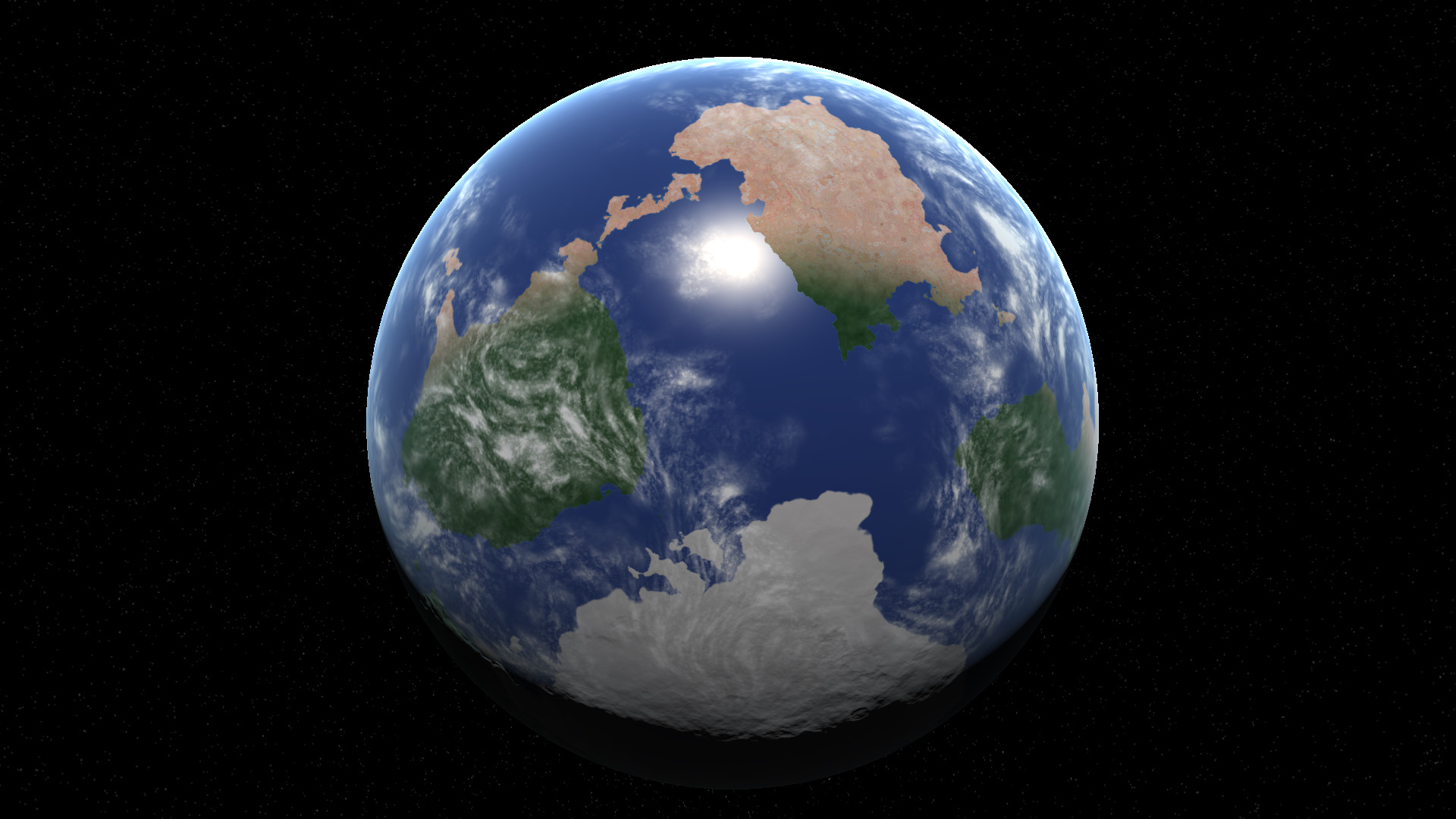
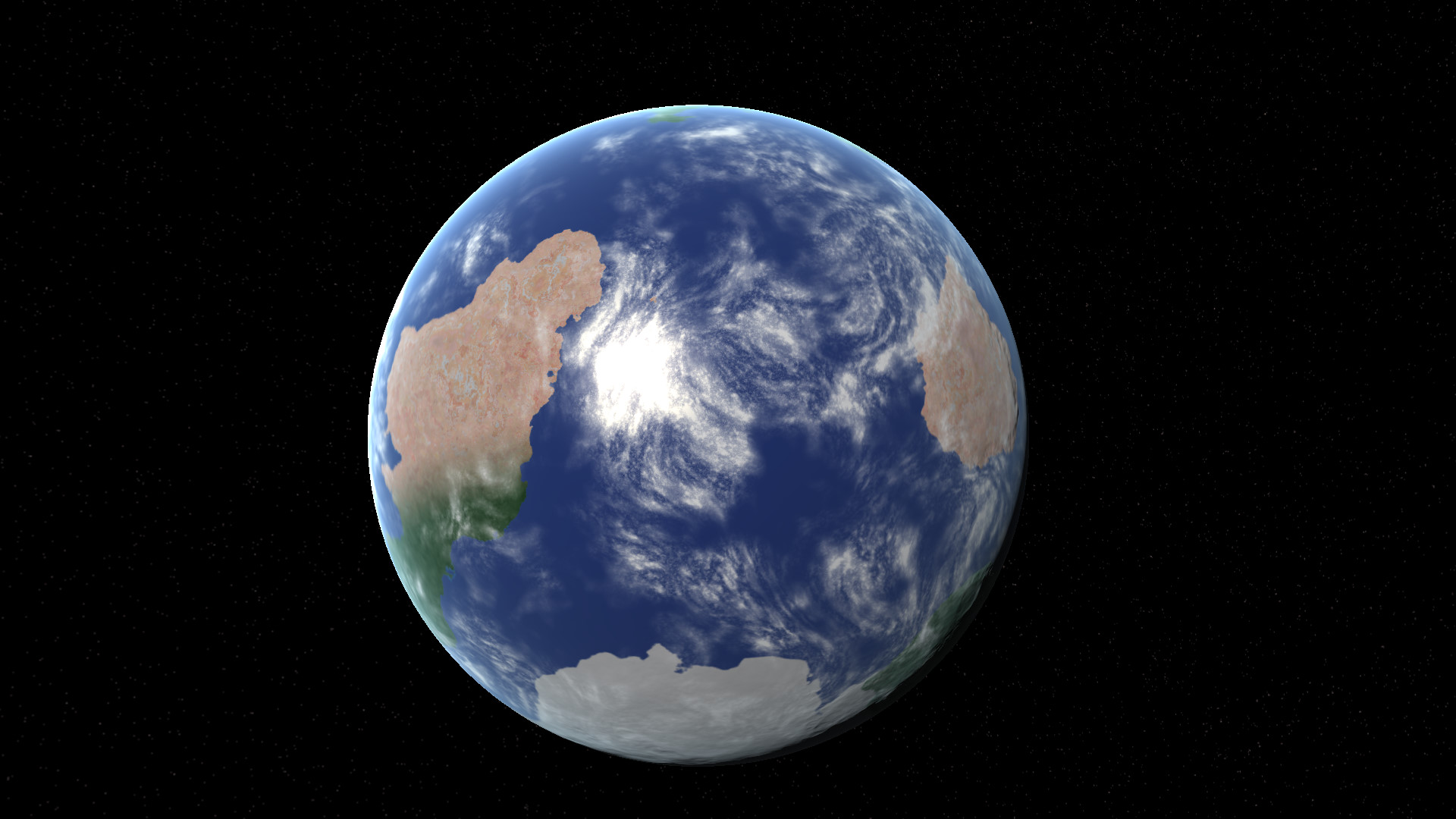
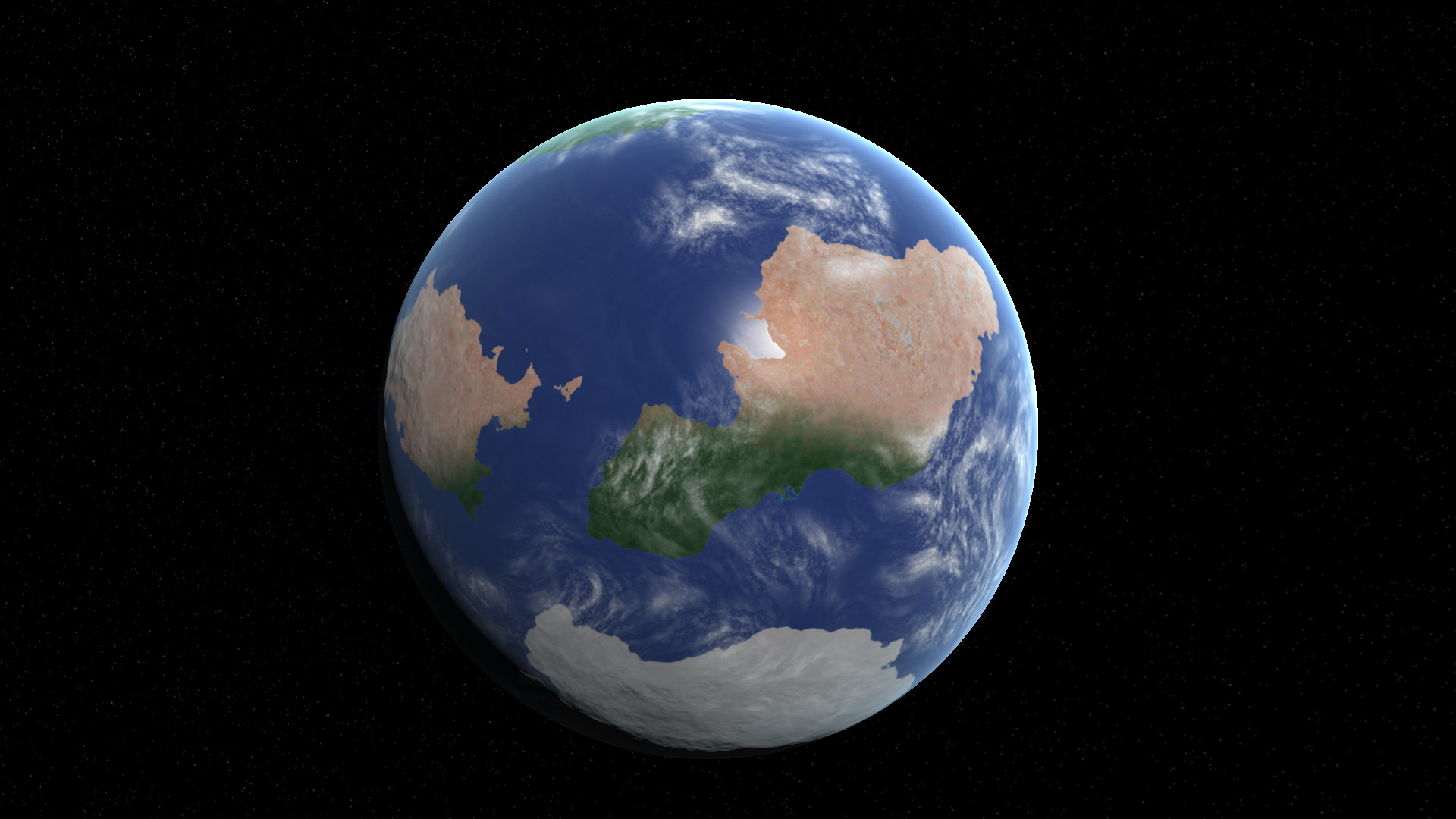
Note how the terrain changes based on temperature due to
latitude. We have polar ice caps where the temperature is
extremely low, then a more temperate green area, and arid deserts
in the hot equatorial regions.
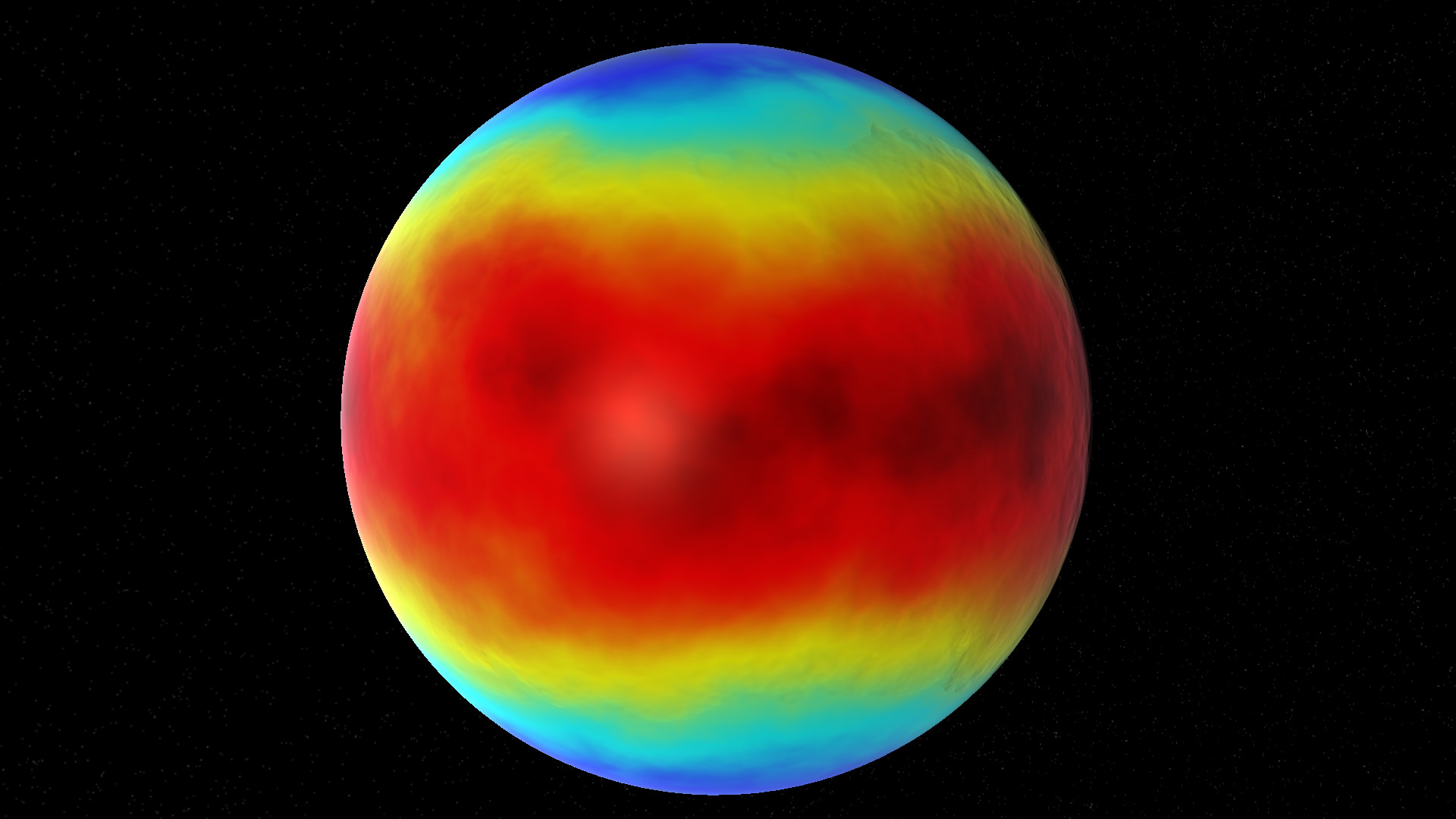
Behind the scenes a temperature map is generated, as well as a
precipitation / rainfall map. The sea generates cloud and will
even act as a brake on extreme temperatures near the coast.
All the biomes stem from a combination of precipitation (from the
sea) and temperature - which is itself a combination of latitude
and the planet's distance from the star.
This means it's possible to have hot scorched Earths with very
little water or cloud, all the way to frigid snowball Earths with
ice caps reaching all the way to the equator.
The aim has been to get something roughly Earth-like from all
these parameters, and then we can deviate to more extreme values
for more variety. I think that's been achieved.
There are a lot of parameters for all sorts of things I've not
yet had time to fully explore. For example, the desert terrain
texture is procedurally generated based on eroded strata of
different mineral colours modulated by the height field - this
gives unique non-repeating texture globally. I've barely scratched
the surface (pun intended) with what's possible here.
From this orbital view you'll be able to select your landing site
which then becomes your ground-based map. I'm pleased - this is
another large missing piece of the puzzle done. :)
As ever, please wishlist Starship Colony on Steam - it helps our
visibility with the algorithm. You can also follow the developer page
to get notified when we start play tests. The Discord forum
is also usually first to hear of any news. Thanks!
Starship Colony now has a built-in 3D vector graphics
editor! 😲
It's not quite Blender, but it is a ridiculously large feature to add to any
game, let alone a solo indie project. I finally had enough of Affinity Designer's laggy editor
and crashing that forced me to reboot every time. So I
decided to write my own..! 😎
2D vs 3D
Up to now all the game's objects have been made using 2D vector
shapes, with simple gradients, outlines, and 2D bevel fills that
fake 3D shapes and lighting. It's more direct and often faster
than 3D modelling, and there's more direct control over the colour
& lighting which is part of the style. But it's also
frustrating trying to use 2D tools to make 3D looking objects.
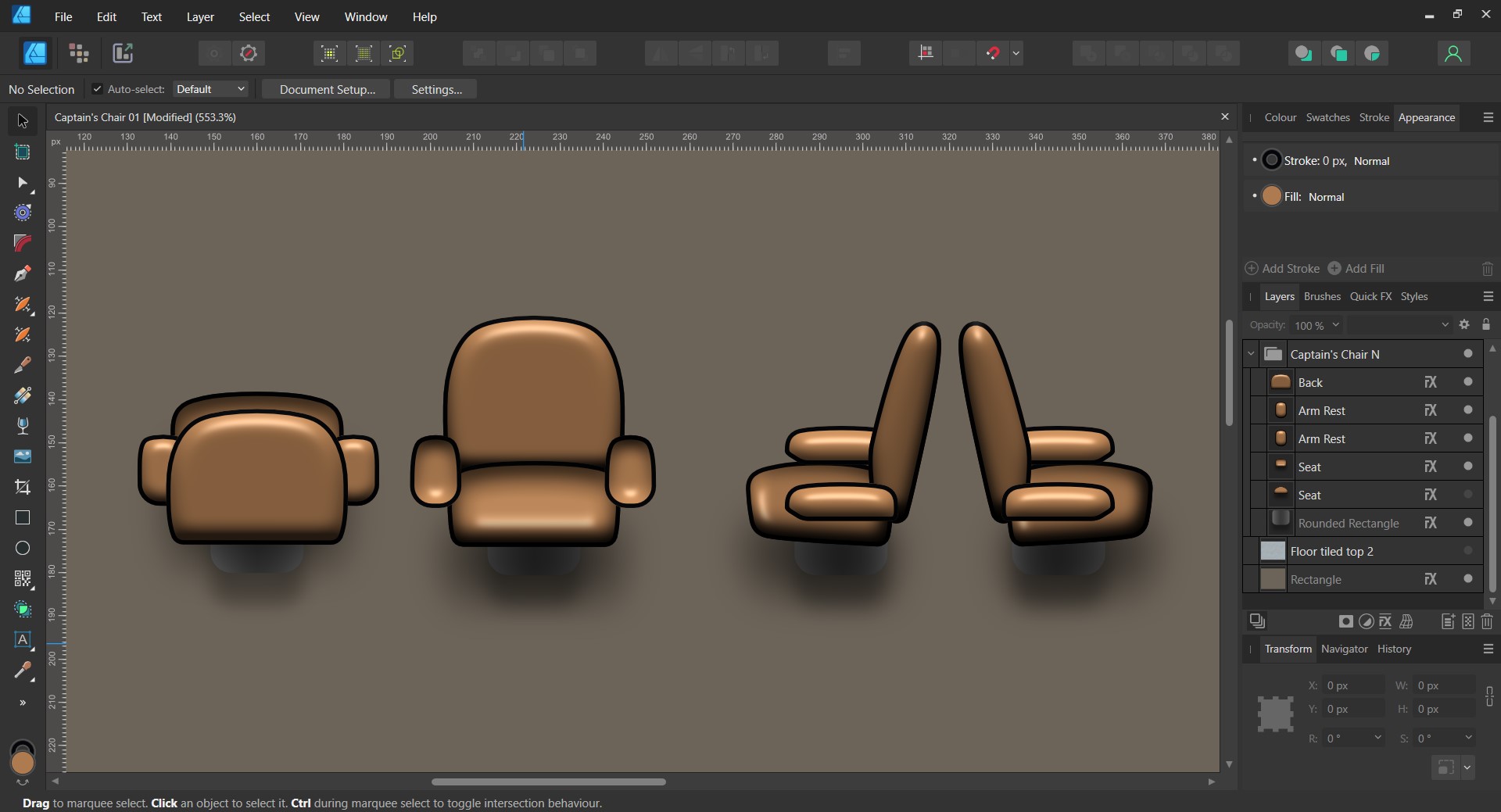
Take the Captain's Chair for instance:
First game object made - Needed improvement
This was the very first object I made for the game, and I felt it
needed some improvement. I wanted to tilt it so you're looking at
it from a higher angle, particularly the back piece in the first
frame. But this is impossible because it's just a 2D shape with a
2D image bevel. Foreshortening it will just reduce the height.
There's no way to make the 2D bevel appear tilted, it's fixed in
the centre. We've reached limit of what we can do with 2D effects.
The obvious solution is to extrude the outline curve into 3D,
bevel it, then rotate and light it in 3D. So that's what I did:
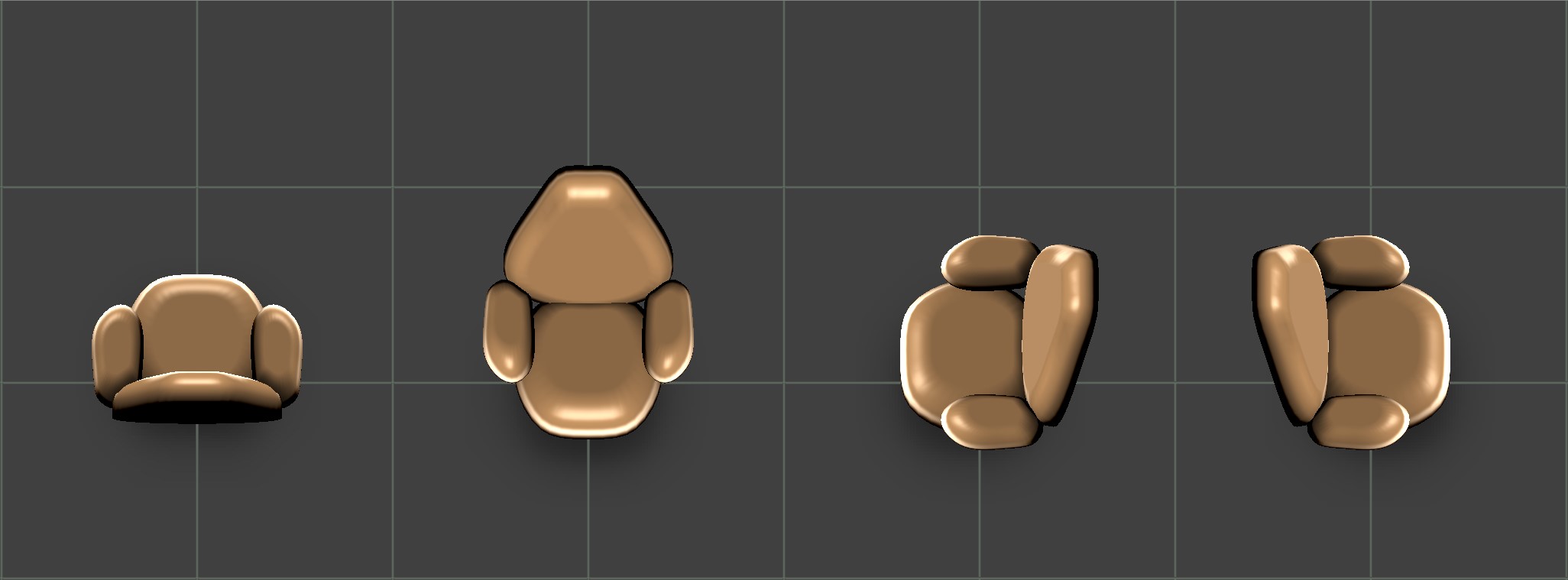
Until now every object in the game had to be made 4 times over, one
for each 90 degree view angle. Now I can just rotate the object in 3D
and save out frames from any angle. This is a huge time saver!
1 Object, 4 Angles
This is what it looks like from the 'correct' view angle. But I'd
probably like to try a lower angle to see if it works better with
the characters. I can easily change it now.
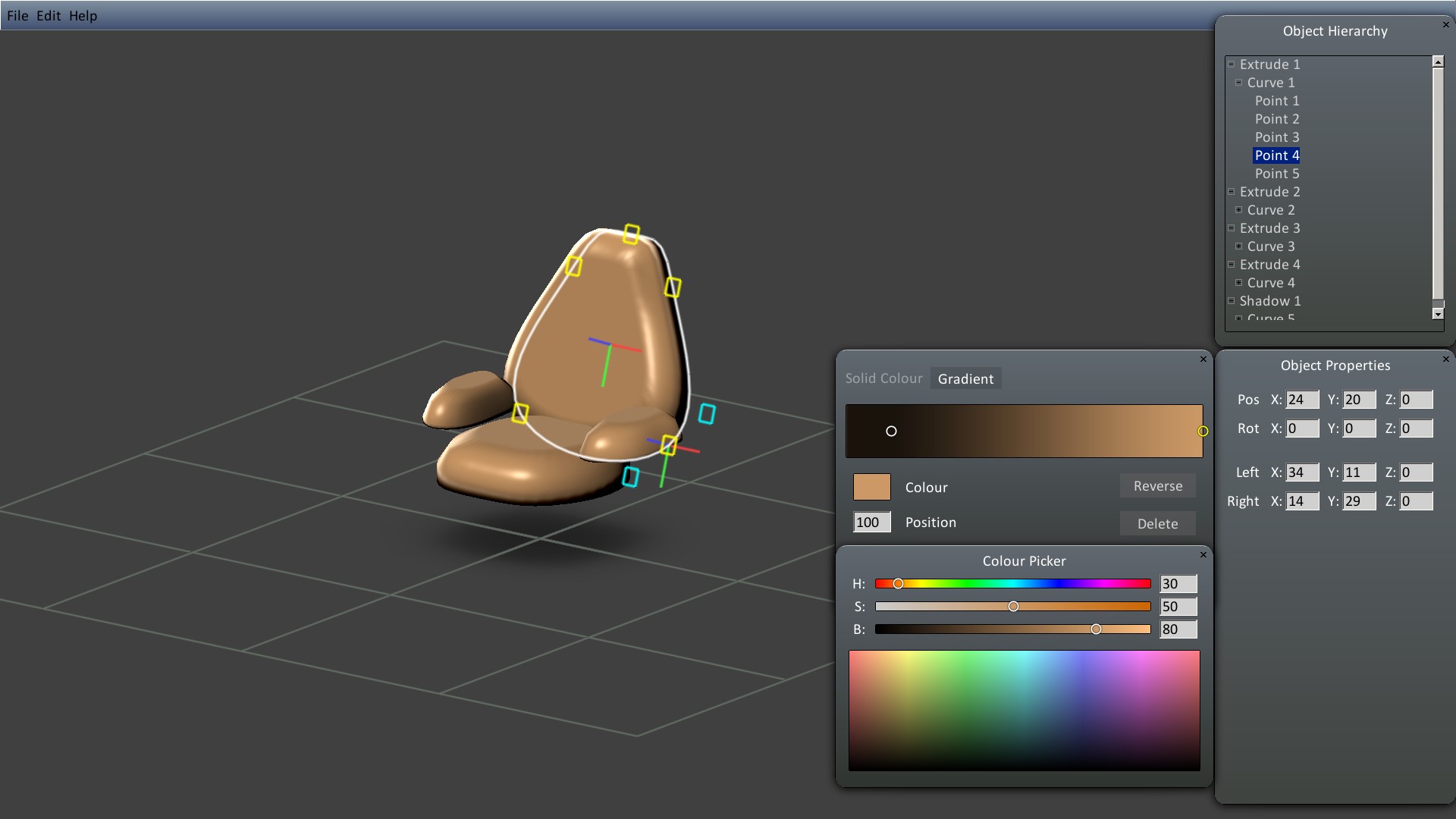
Here's a view of the Bézier curve editor working on a tilted
plane in 3D. You can just drag points around and it updates at a
butter smooth 60 FPS. :)
I've also made some new GUI controls for editing colour and
gradients. You can drag sliders around and see results in real
time.
Editing Bézier Curves and Colour Gradients
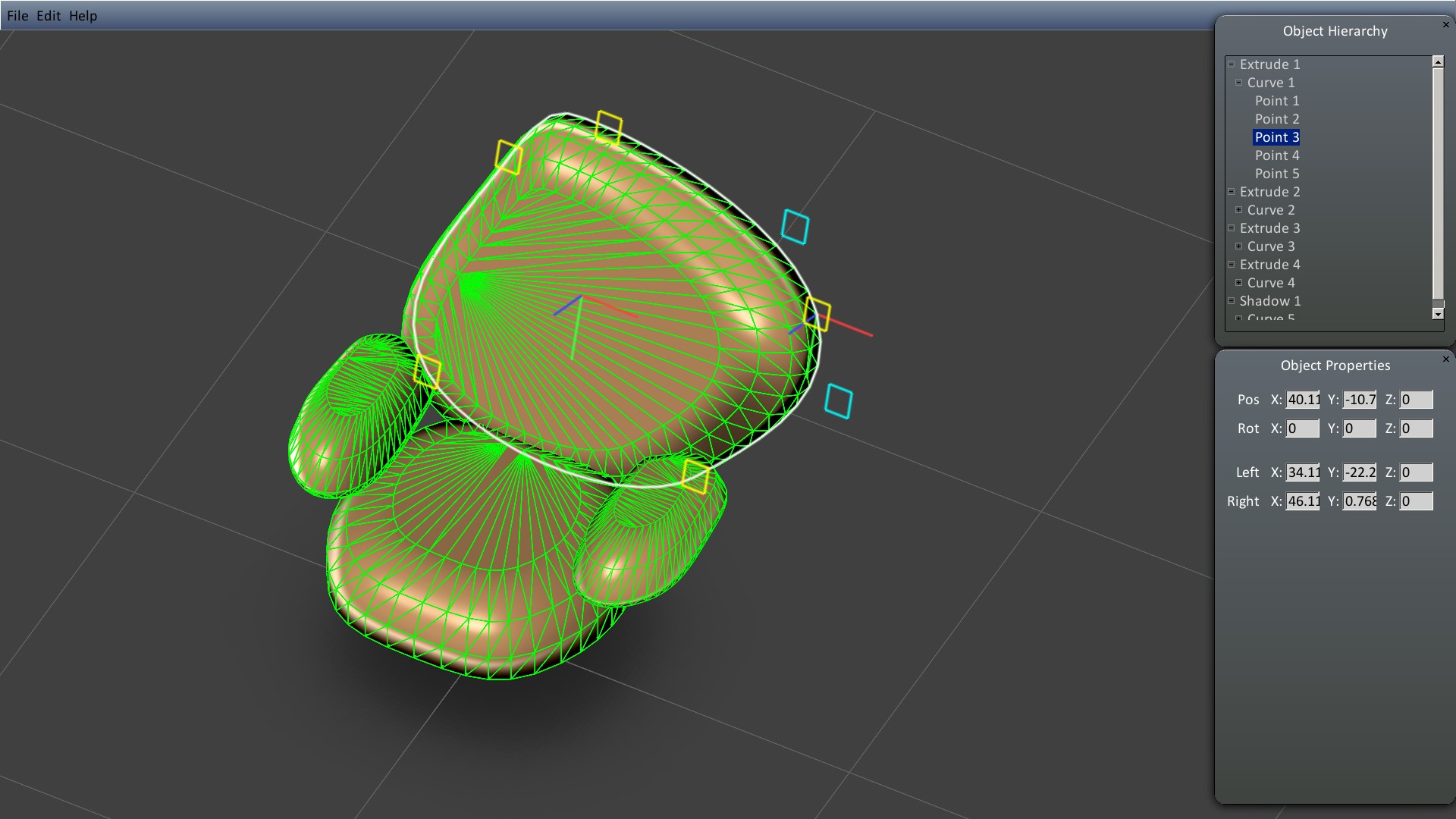
Primitives in the object scene hierarchy tree view can be dragged
around and reordered. The Extrude primitives operate on the Curve
primitives added to them, and they in turn use the Points added to
them.
I'm sure you could do something similar in Blender but this
workflow is tailor-made for the game engine with bespoke settings for
custom shaders and object properties. There are no intermediate
export / import steps.
Wireframe View - Butter smooth editing
I've designed the architecture with future expansion in mind.
Currently there's a more advanced Loft primitive which bridges
between any number of Curves, great for pipes and cables. Plus a
dedicated Shadow primitive which generates blurred shadow
images directly from the shape Curves. This makes it extremely easy
to made efficient good looking shadows.
There's also a Sprite primitive which lets you to put 2D sprites
in any 3D orientation, including all the existing game object
sprites. This lets me reuse all the existing artwork and just make
incremental upgrades. It's also great for decals.
I have so many ideas for additions to the editor, but they can be
added over time as I need them.
Future Potential
The potential for player-made content is huge, and although I
made the editor for myself, having it built right into the game
should give things a nice boost! 🚀
Speaking of which, Starship Colony just got promoted to the
Popular Upcoming chart on Steam. Traffic is up, and wishlists
are climbing steadily despite having no trailer or
publicity yet. It'll interesting to see what happens when we do!
:)
If you haven't wishlisted already, please do - it helps our
visibility with the algorithm. You can also follow the developer page
to get notified when we start play tests. The Discord forum
is also usually first to hear of any news. Thanks!
I'm still working on this, so everything is subject to change,
but I can show a bit before we wrap-up the year.
The most obvious improvement is to the mountain rocks. I've been
trying to get away from the tiled look and avoid repetition. The
mountains are difficult because there are over a dozen tiles that
have to fit together like a jigsaw puzzle and making multiple
variations rapidly multiplies the combinations and it soon becomes
intractable.
Note that no two corners are the same any more:
I also wasn't very keen on the plain look of the 'slice' through
the mountain. Previously I coloured the interior based on mountain
depth which helped, but had to make the texture detail very subtle
and fine so the repeats weren't visible. Now we can have a lot more
visual interest.
I've remade these several times over trying various approaches.
I even wrote a ray tracer to render tiling fractal noise normal
maps, tilted at the game view angle - that was a rabbit hole!..
My current favourite approach uses a large diffuse texture blended
with normal-mapped pieces to shape it at runtime. This decouples
the look from the shape, and means I can now have different
mountain textures which I want for planetary variety.
Realism vs Gameplay
I could have gone with a more fragmented natural looking mountain
but there's a balance to be struck between a natural look and
clear gameplay tiles. It's important for gameplay that you can
easily see what is solid wall and what is ground, so I had to dial
down the realism a bit. I can still add some scree ground clutter
afterwards. (Screenshots here are without game objects.)
I've also removed the large scale tiling artifacts of the grass
when zooming out and replaced it with a more natural noise texture
that follows the contours of the landscape. I previously covered
up this texture crime with trees, but now we need not fear
generating open plains of grass.
(Land shown without objects)
These improvements also apply to non-terrestrial worlds (which
will be the majority), but the terrestrial ones have a lot of
visual complexity, so I'm making sure these work well first.
There's a lot of other improvements behind the scenes to how the
terrain works. I've made the rock tiles and the metal hull
systems aware of each other so they blend more seamlessly now.
Building bases on the planet surface will now be more interesting.
We'll dig into that in future updates.
Until then, I wish you all a relaxing holiday break and enjoy your Christmas! 🦌🎅✨🎄 :)



 Discord
  YouTube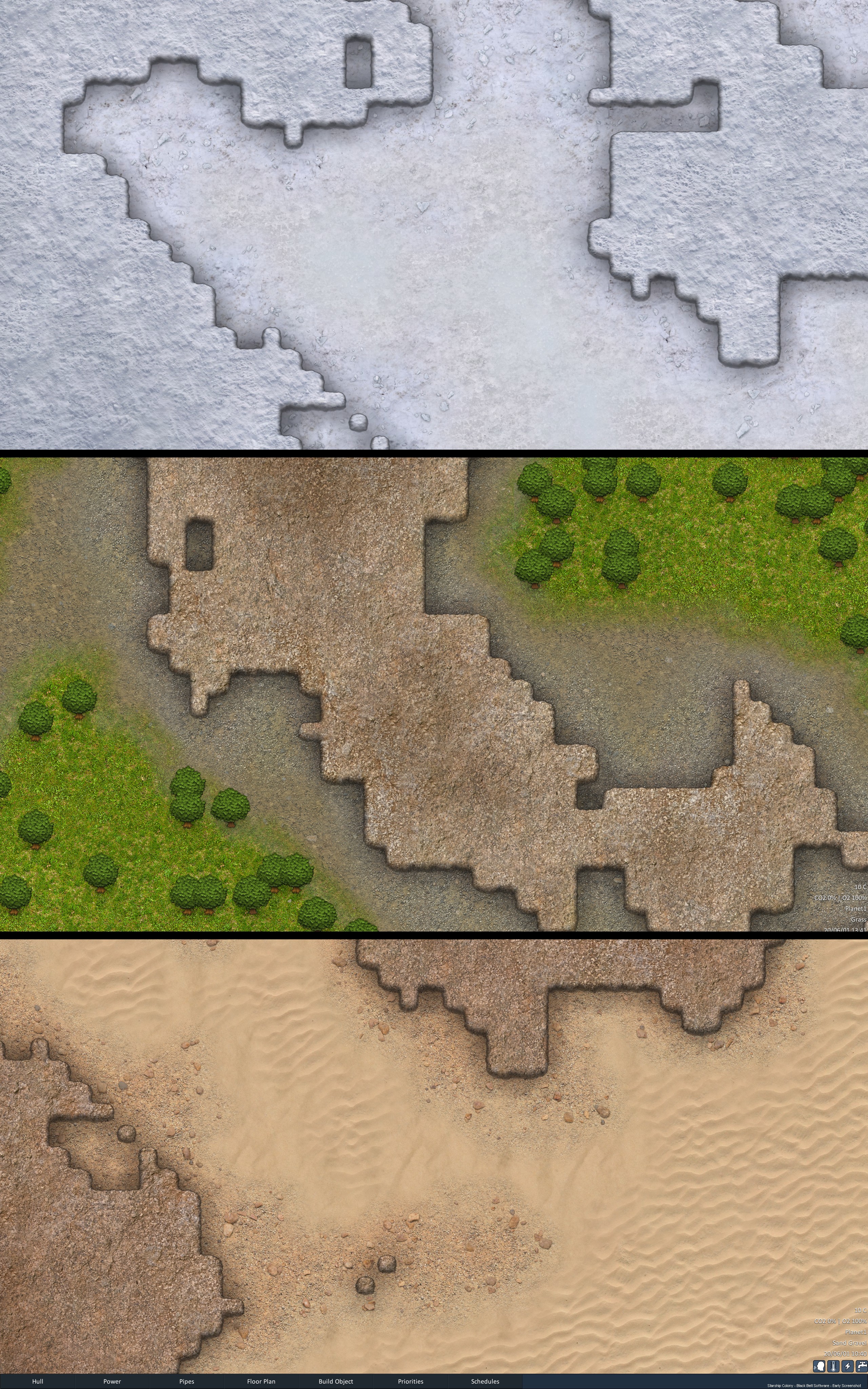

 A deep starship colony sim. Build your starship, manage air, water, food, fuel, energy, temperature and psychology to keep your crew alive across vast distances. Closed-loop system in space. Mining, wiring, plumbing, in-ship factory, (alien?) radio signals & translation, diplomacy, combat, and more.